Moss Moss controls
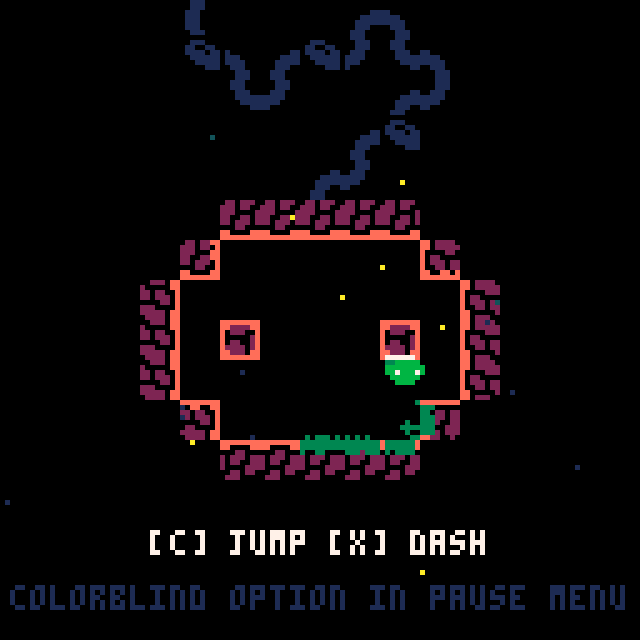
Moss Moss uses three inputs. The arrow keys move in any direction, C jumps, and X dashes. The official game page lists the controls simply as "C to Jump, X to Dash (go faster!)." Click inside the game canvas first if the keyboard does not respond, then test the inputs again.
![Moss Moss start room with the green explorer, a moss trail on the floor, and the on-screen hint [C] JUMP [X] DASH.](/images/guides/moss-moss/02-moss-trail.png)
How the dash works
X gives you a fast burst of movement. Hold a direction while pressing X to choose where the dash carries you; the dash is the main tool for crossing gaps that a normal jump cannot clear. Because the game is short, spend a minute in a safe room learning the distance of a standing jump, a running jump, and a jump followed by a dash before you attempt a difficult route.
The crown's double jump
Reaching the crown unlocks a double jump. This is the most important movement upgrade in the game: routes that looked impossible earlier become reachable, and several remaining spirits sit behind jumps that require the extra height. After you take the crown, revisit rooms you skipped and test ledges that previously seemed out of range.
Movement tips for tricky rooms
When a room feels impossible, slow down and study the layout before moving. Identify the surfaces you can land on and the order you need to touch them. Short, controlled dashes are easier to recover from than long ones. If you keep falling in the same spot, change the timing of your jump rather than the direction: releasing C early gives a shorter hop, while holding it gives full height. Practice the hardest transition until it works several times in a row before connecting it to the rest of the route.
Play Moss Moss online
Everything above is playable right here in the browser. No download and no account required.
Start playing →Frequently asked questions
What are the controls for Moss Moss?+
Use the arrow keys to move, C to jump, and X to dash. Hold a direction while pressing X to dash that way.
How does the dash work in Moss Moss?+
Pressing X gives a burst of speed in the direction you are holding. Use it to cross gaps and extend a jump; practice the distance in a safe room before a difficult route.
Is there a double jump in Moss Moss?+
Yes. Reaching the crown unlocks a double jump, which lets you reach ledges and spirits that are out of range earlier in the game.
Why do I keep falling short of platforms?+
Try changing when you dash rather than where you jump. A dash at the end of a jump arc carries you farther, while an early dash can leave you short. Practice the jump and dash separately first.
Can I change direction during a dash?+
Plan the direction before pressing X. If a dash overshoots, land and reset rather than trying to correct mid-dash.
The keyboard is not responding. What should I do?+
Click once inside the game canvas to give it focus, then try the arrow keys, C, and X again.